

 Get Quotations


Manufacturers, Wholesalers, B2B Philippines












Popular Products
 |  |
|---|














This Months Selected Manufacturer, Wholesaler,
Exporter and Service Provider




Featured Manufacturer


Featured Manufacturer


Featured Importers
Featured Importer

Featured Importer



Join Manufacturers, Wholesalers and Suppliers in B2B Philippines
Mayari.com.ph is an ONLINE PRODUCT SOURCING SITE designed to help Philippine Manufacturers, Wholesalers, Exporters and Suppliers get qualified buyers and purchasers worldwide. Mayari.com.ph also helps qualified buyers search for verified Filipino Manufacturers, wholesalers, supplier/vendor, importer, exporter,and distributors by providing them an easy to use search and communication system.Membership is free and open to all . Registration is a breeze. If your having trouble we can even provide an account specialist to assist you in creating you account. To protect users and buyers we are displaying suppliers and their respective products with supplier verification badges. The supplier has an option to bepresented as verified supplier or unverified supplier. At the moment verification is free to all supplier applicants. It is our task to ensure that qualified buyers are aware of who is legal and trust worthy among suppliers
For Manufacturers/Wholesalers ,mayari.com.ph is a web portal that will provide free online marketing, internet marketing and online promotions, limited only to Filipino manufacturers and Filipino made products. To encourage investors to outsource from the Philippines and most specially to convince them that it is always safe to do business in the Philippines, we have instituted our own verification and accreditation process. Our accreditation process has levels and procedures. Once approved you shall enjoy free marketing and promotions online. You shall also have your own website, Online messaging system, you own dashboard, reports for sales, stocks statistics with charts and graphs and a lot more. For you to be approved or accredited we shall require legal documents such as your SEC / DTI registration or Permit to operate for us to verify. Again, our accreditation and verification is simple and free. Verification is essential for us and for you to attract foreign investors and even local buyers.
- Details
- Hits: 138
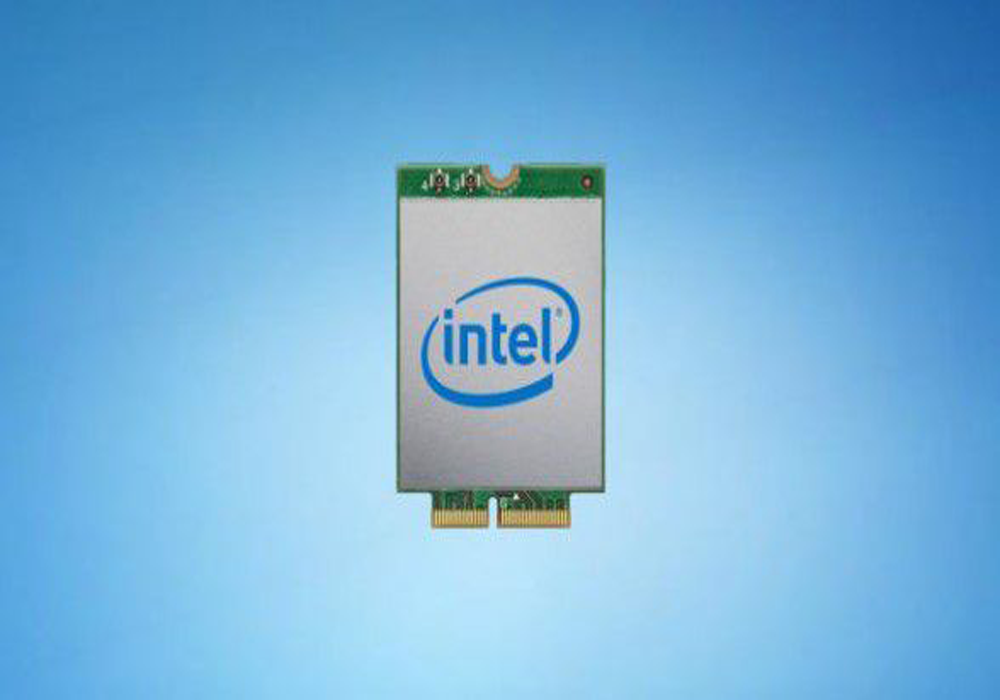
The new Wi-Fi 6 standard is here in a pre-release form, replacing the older 802.11ac Wi-Fi found on many recent laptops, desktops, and mobile devices with 802.11ax.
But, just because the standard is available for manufacturers doesn't mean devices are getting hardware to support it. It's still new, and even some of the best laptops come without it. But, we've got good news: In many cases, you can add Wi-Fi 6 to your device after you've bought it.
How you get Wi-Fi 6 support on your device will depend on the type of device you have. Right now, there are few Wi-Fi 6 modules, and support for AMD systems doesn't appear available just yet. But, if you have a device powered by a 64-bit Intel processor, you can likely make the upgrade. Intel and Killer Networking have cards available, and more options will surely be coming in time.
If you have a desktop computer, you can use PCIe connections to add in networking cards, while laptops can use an M.2 slot to fit in the necessary module. We'll go into a bit more detail below.
Adding Wi-Fi 6 to a desktop
The currently available Wi-Fi 6 modules from Killer Networking and Intel are M.2 cards targeted at laptops, and they won't work in desktop M.2 slots as is. But, that doesn't stop them from working in desktops. You can add in one of these cards by using a PCIe adapter like this one.
The M.2 card will slot into the converter, and then the converter will go into an open PCIe slot on your desktop's motherboard. The converter should also provide antennae that connect to small slots on the Wi-Fi 6 module. Once that's slotted into your computer, a quick driver installation will have you up and running on Wi-Fi 6.
Adding Wi-Fi 6 to a laptop
Laptops are becoming less and less upgradeable, with manufacturers soldering on components and sealing up cases. But, that doesn't mean you can't make this upgrade happen. All but the thinnest laptops and 2-in-1 tablets, like the Surface Pro X, tend to still have some level of access to the internals. And, even if components like RAM are getting soldered onto motherboards, networking adapters can still often be found as add-in cards.
If you can open up your laptop (it may take a specialized toolkit), there's a good chance you'll be able to spot the small M.2 module currently powering your device's Wi-Fi and Bluetooth connections.
You'll simply unscrew the screw holding the Wi-Fi module in place, and unplug the antenna wires connected to your existing Wi-Fi module. Then, you'll just do the process in reverse to install your new Wi-Fi module.
Future solutions may get even easier
While the current processes for upgrading are simple, in the near future, it's likely even simpler solutions will come out. We'd expect PCIe cards with the Wi-Fi module built in to make upgrading desktop Wi-Fi much easier. And, we wouldn't be surprised to eventually see Wi-Fi 6 USB dongles that add the new connectivity in a simple, plug-and-play device.
So, if you're on the market for a new computer and can't wait for models pre-fitted with Wi-Fi 6 support, you take some comfort knowing that simple upgrade solutions are available. You shouldn't need to upgrade your whole machine just to get a faster, more stable Wi-Fi connection.
You will need to get a new Wi-Fi 6 router, like the Asus ZenWiFi mesh router, though.
- Details
- Hits: 161

REALME PHILIPPINES has launched two quad-camera smartphones, targeting to provide a “premium mobile experience” at prices well below those of other brands’ flagship phones.
The company last week launched the Realme 5 and Realme 5 Pro, which both feature four rear cameras and priced below P15,000.
“Designed to deliver premium mobile experience, these phones are equipped with exceptional smartphone essentials such as strong system performance, superior camera capabilities and long battery life set to disrupt their respective segments,” Realme said in a statement.
“We at realme Philippines are thrilled to revolutionize the smartphone experience of the Filipinos by leading the leap to attainable quad camera technology, which marks realme’s new era of smartphone imaging technology. By bringing the realme 5 Pro and realme 5 to the Philippine market, we put an end to the notion that only flagship phones can have premium features,” Realme Philippines Marketing Director Austine Huang was quoted as saying.
REALME 5 PRO
The Realme 5 Pro features a Qualcomm Snapdragon 712 AIE processor and a Qualcomm Adreno 616 GPU. It has a 6.3-inch screen with a dewdrop design for a wider and clearer display.
The phone’s four rear cameras consist of an 8-megapixel (MP) 119-degree ultra-wide-angle lens, a 2MP portrait lens, a 2MP ultra-macro lens and a 48MP Sony IMX586 main camera.
“The IMX586, which underwent stringent research and tests by users and industry experts, features sensor optimization to deliver higher-quality images,” Realme said.
The realme 5 Pro also has a 16MP front camera with f2.0 aperture and Sony IMX471 image sensor.
The phone’s camera likewise has the Nightscape and Chroma Boost modes. It also supports slow-motion video recording in 960fps and 720p.
The Realme 5 Pro is equipped with a 4035mAh battery, and its AI Freezer function can predict the user’s app usage and freeze unused apps accordingly to save power.
The phone has two variants: 4GB RAM with 128GB internal storage and 8GB RAM with 128GB storage. It is available in crystal green and sparkling blue colors.
The Realme 5 Pro 4GB+128GB is priced at P11,990, while the 8GB model is sold for P13,990.
REALME 5
Meanwhile, the Realme 5 runs on a Snapdragon 665 processor and third-generation Qualcomm AI Engine, as well as an Adreno 610 GPU.
The phone features a 6.5-inch mini-drop full-screen display and an AI rear quad-camera setup: a 12MP primary camera, an 8MP 119-degree ultra-wide-angle lens, a 2MP ultra-macro lens, and a 2MP portrait lens.
Its 13MP AI front camera has the selfie beauty function. It adds AI beauty algorithms to accurately recognize photographed subjects using a total of 296 feature recognition points, providing eight million beauty effects.
The smartphone also has the Nightscape and Chroma Boost modes and can record slow-motion videos in 240fps and 720p. It has a 5000mAh battery.
The Realme 5 comes in three variants — 3GB RAM with 32GB storage (P6,990), 4GB RAM+64GB (P7,990) and 6GB RAM+128GB (P9,900) — and has two colors, namely crystal blue and crystal purple.
- Details
- Hits: 155

The computer company just launched a pretty laptop for the young professional. It’s fast and elegant and luxurious even their bosses will want one.
Lenovo has been on an absolute roll this year. First, they launched their Legion store, promoting their powerhouse gaming brand and highlighting their push to make it big in the gaming community, while revealing their high-end Legion Y740 laptop.
Then, they launched a smorgasbord of new devices, including the new Legion Y540, the midrange IdeaPad L340 Gaming, and next-gen ThinkPads for the enterprise market.
Now, Lenovo’s tackling their toughest market yet – millennials.
That’s right, Lenovo just made a pretty laptop just for the modern yuppie. In a fancy launch at Y Space in RCBC Plaza, Makati, Lenovo unveiled its brand new ThinkBook S lineup, and I have to admit it’s the most excited I’ve been about a thin-and-light laptop in a while.
The launch began with a little bit of background on the ThinkPad brand. The older generation of tech-savvy professionals will remember the legendary ThinkPad from back in the IBM days. The ThinkPad brand has been around since 1992, and it’s long been associated with awesome durability, enterprise-grade hardware, and that cute little TrackPoint nub that I don’t think I ever used. The ThinkPad is even used on the International Space Station. How many laptop brands can say that?